
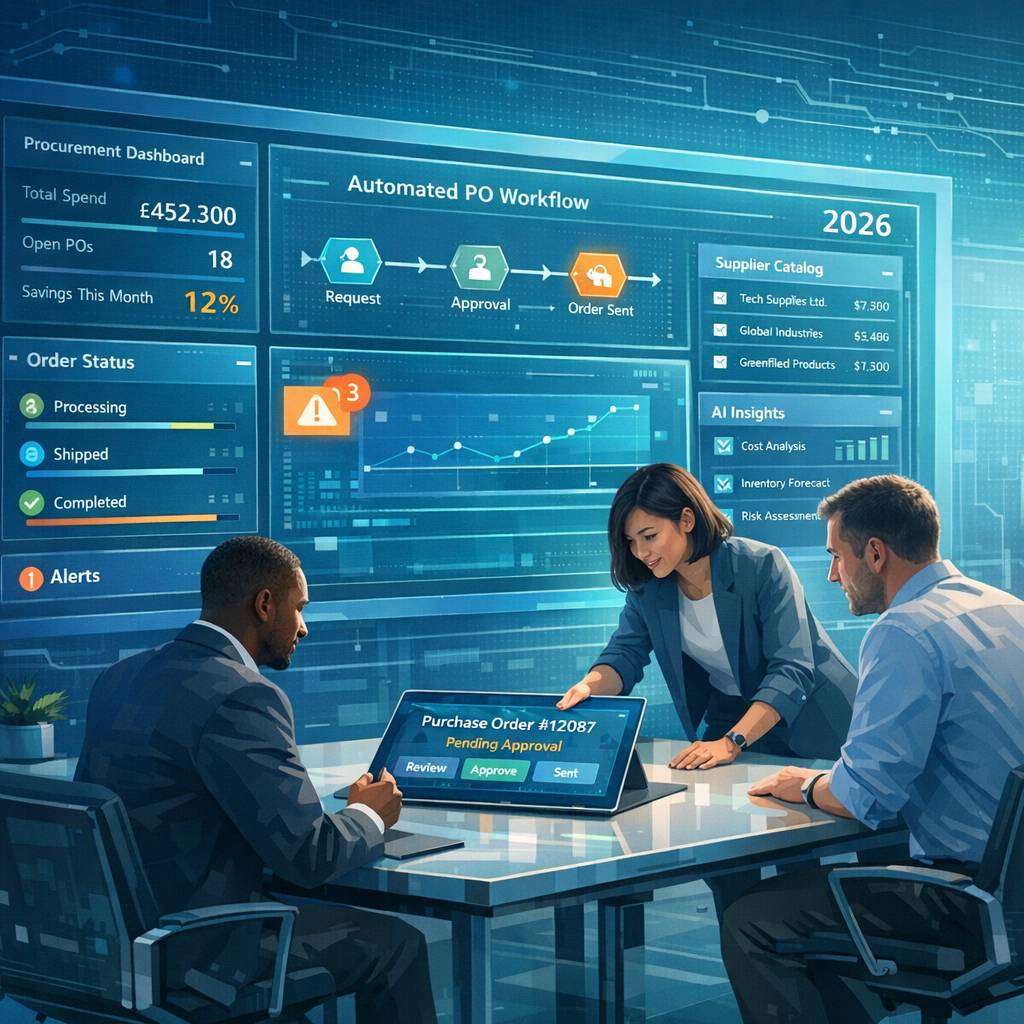
The procurement landscape in 2026 is increasingly digital, data-driven, and interconnected. For organisations of all sizes, a modern purchase order system is no longer a nice-to-have—it is essential for achieving cost savings, greater visibility, and stronger supplier relationships. This article explores how contemporary po system software transforms procurement processes, the features to look for, and practical considerations for implementation, with a focus on British usage and terminology.
The shift from manual to digital purchase orders
Historically, purchase orders were created on paper or via basic spreadsheets, then reconciled manually with invoices. This approach is error-prone, slow, and opaque. Modern software for purchase order replaces paper trails with a streamlined digital workflow. By standardising data, automating routing, and integrating with accounting and ERP systems, organisations can shorten cycle times, reduce errors, and gain real-time insight into spend. A digital purchase order software solution enables purchase requests to be converted into purchase orders automatically, subject to approval hierarchies and policy controls.
Core benefits of a modern po system
- Improved spend control: Automated approval workflows enforce purchasing policies, budgets, and supplier agreements before a PO is issued.
- Enhanced supplier collaboration: Electronic purchase order systems provide timely order confirmations, changes, and return authorisations, reducing miscommunication.
- End-to-end spend visibility: A single source of truth for POs, receipts, and invoices allows procurement teams to track status, performance, and compliance.
- Reduced administrative burden:Automation lowers manual data entry and paper handling, freeing staff for strategic tasks.
- Better cash flow management: Real-time PO data supports accurate forecasting, early payment discounts, and improved supplier terms.
Key features to expect in po system software
When evaluating software for purchase order or po system software, consider these capabilities:
- Purchase order creation and lifecycle management: From requisition to approval, PO generation, amendments, and closure. Look for templates, line-item detail, delivery schedules, and unit measurements that align with your business.
- Robust approval workflows: Customisable hierarchies, multi-step approvals, conditional routing, and automated policy enforcement.
- Supplier master and catalog integration: Centralised supplier data, document storage, and seamless catalogue integration to drive standardised ordering.
- Budget and spend enforcement: Real-time budget checks during requisitioning and PO creation to prevent unauthorised spend.
- Electronic document exchange: Electronic purchase order transmission through EDI, invoice reconciliation, and supplier portal access.
- Invoicing and receipt matching: Three-way matching (PO, receipt, and invoice) to automate validation and reduce exceptions.
- Reporting and analytics: Dashboards, spend analysis, supplier performance metrics, and trend reporting to inform strategic decisions.
- Cloud accessibility and mobile support: Anywhere, anytime access with secure authentication, ensuring procurement can respond quickly.
- Integration capabilities: Smooth interfaces with ERP, accounting systems, inventory management, and CRM to create a connected procurement stack.
- Security and compliance: Role-based access, audit trails, data encryption, and compliance with data protection regulations.
Po system for small business: scaling with growth
For small businesses, a po system for small business should be affordable, straightforward to configure, and scalable. Features often sought include:
- Simple requisition-to-PO workflow with intuitive user interfaces.
- Quick supplier onboarding and easy catalogue addition.
- Clear visibility into approvals and budget status without needing a large IT footprint.
- Affordable pricing models, including tiered plans or usage-based pricing.
- Lightweight API access for essential integrations (e.g., accounting software, payroll, or inventory tools).
Even with modest budgets, small businesses can reap the benefits of digital purchase order systems—reducing paper-based processes, minimising errors, and providing a foundation for scalable procurement processes as the business grows.
digital vs electronic purchase order systems
The terminology can be nuanced. A digital purchase order software solution generally refers to any software that digitises the PO process, including creation, approval, and tracking. An electronic purchase order system emphasises the electronic exchange of POs and related documents with suppliers, often through EDI or supplier portals. In practice, most modern po system software blends digital PO creation with electronic transmission to suppliers, enabling seamless data exchange and faster cycle times.
FAQ: Purchase Order System
What is a purchase order system?
A purchase order system is a software or process that manages the creation, approval, tracking, and fulfillment of purchase orders (POs). It helps automate procurement, reduce errors, and improve visibility into spending and supplier performance.
Why should my business implement a purchase order system?
- Improves accuracy and consistency in ordering
- Enables better spend control and budget management
- Increases transparency with suppliers and internal stakeholders
- Speeds up the procurement cycle with automation
- Provides audit trails for compliance and reporting
What features should I look for in a purchase order system?
- PO creation and editing with standard templates
- Workflow-based approvals and role-based access
- Supplier management and contract integration
- Budget checks and spend forecasting
- Real-time PO status tracking and alerts
- Receipt matching and invoice reconciliation (3-way matching)
- Reporting, analytics, and export options
- Cloud accessibility and mobile capability
- Seamless integration with ERP, accounting, and inventory systems
How does a purchase order system integrate with other systems?
It typically integrates via APIs, EDI, or file-based imports/exports to connect with ERP, accounting, inventory management, and invoicing systems. This ensures data consistency across procurement, finance, and operations.
What is 3-way matching, and why is it important?
3-way matching compares the PO, the supplier invoice, and the received goods/services receipt. It helps prevent overpaying, detect discrepancies, and reduce payment fraud.
How can I migrate from a manual process to a PO system?
- Map current procurement workflows and identify bottlenecks
- Choose a system that fits your scale and integration needs
- Plan data migration for POs, suppliers, and catalogs
- Configure approval routes, budget checks, and user roles
- Train users and run parallel testing before going live
- Establish governance and change management for ongoing use
What are the benefits of cloud-based PO systems?
- Lower upfront IT costs and faster deployment
- Automatic updates and ongoing feature enhancements
- Accessible from anywhere with an internet connection
- Scalable to accommodate growth and remote teams
- Simplified disaster recovery and backups
How do I handle supplier onboarding in a PO system?
- Create or import supplier profiles with contact details, payment terms, and catalog items
- Configure approval workflows and spend limits per supplier
- Set up electronic purchase orders and document exchange preferences
- Validate supplier compliance and performance data
How can a PO system help with compliance and auditing?
- Maintains a centralised, auditable trail of approvals and changes
- Enforces budgetary controls and segregation of duties
- Provides standardised templates and policies
- Facilitates regulatory reporting and internal audits
What should I consider when evaluating PO system vendors?
- Total cost of ownership, including licenses, implementation, and support
- Ease of use and user adoption features
- Integration capabilities with existing systems
- Security, data privacy, and compliance certifications
- Customer support, training resources, and implementation timelines
- References and case studies from similar industries
Is training required to use a purchase order system?
Yes. Training helps users understand PO creation, approval workflows, budget checks, and reconciliation processes. Look for vendor-led training, documented guides, and in-app help.
How long does it take to implement a PO system?
Implementation timelines vary by scope and complexity but typically range from a few weeks to several months. A phased rollout with pilot teams can reduce risk and improve adoption.
What are common implementation pitfalls to avoid?
- Underestimating data migration effort
- Inadequate user involvement in design
- Poorly defined approval workflows and roles
- Lack of change management and training
- Insufficient testing of integrations and edge cases
How can I measure the success of a PO system after go-live?
- Time-to-create and approve POs reduction
- Decrease in maverick purchasing and budget overruns
- Improvement in on-time deliveries and supplier performance
- Reduction in invoice discrepancies and processing costs
- User satisfaction and adoption rates
Do PO systems support multi-currency and global procurement?
Many modern systems do, offering multi-currency support, local tax rules, and regional supplier catalogs to help global teams procure efficiently.
What are best practices for securing a purchase order system?
- Enforce strong user authentication and role-based access
- Implement approval thresholds and required budgets
- Regularly update and patch software, monitor for anomalies
- Maintain data backups and disaster recovery plans
- Conduct periodic access reviews and compliance checks
How much does a purchase order system typically cost?
Costs vary widely based on deployment mode (cloud vs. on-premises), number of users, required features, and integration needs. Expect recurring subscription fees for cloud solutions and potential setup or customisation charges for on-premises options.
Can a PO system replace paper-based processes entirely?
Yes, in many cases a PO system can replace most or all paper-based steps, leading to greater efficiency, traceability, and control. Some organisations still maintain paper backups for specific compliance reasons.
How do I get started with choosing a PO system?
- Define procurement goals and success metrics
- List must-have features and must-integrate systems
- Gather stakeholder input across finance, procurement, and operations
- Request demos and trial periods from shortlisted vendors
- Compare total cost of ownership and implementation timelines
- Check references and conduct a small-scale pilot if possible
If you’d like, tell me your industry, team size, and key pain points, and I can tailor these FAQs to your specific use case.
A purchase order system can streamline operations by standardizing approval workflows, improving visibility, and reducing processing times. Departments gain accurate tracking, vendors receive timely payments, and budgeting stays on target through real-time status updates. A well-implemented solution eliminates duplicate orders and data entry errors, empowering procurement teams to focus on strategic sourcing. For resources and alignment, see the following link in the second half: https://www.umsystem.edu/oei/sharedservices/apss/po_vouchers
Implementing a modern purchase order system: practical steps
- Assess current processes: Map requisition to PO, approval routes, supplier data quality, and reconciliation pain points. Identify bottlenecks such as manual data entry or slow approvals.
- Define objectives and KPIs: Typical targets include cycle time reduction, PO accuracy rate, and savings from supplier terms.
- Choose the right software for purchase order: Evaluate whether you need cloud-based vs on-premises deployment, scalability, and the level of automation required.
- Plan data migration and integration: Prepare supplier records, catalogue data, and mappings to your ERP or accounting system. Ensure clean data to avoid downstream discrepancies.
- Design approval workflows: Create policy-based routing, escalation rules, and exceptions handling that reflect organisational structure.
- Train users and champion adoption: Provide role-based training, quick reference guides, and ongoing support. Buy-in from procurement, finance, and operations is critical.
- Pilot and scale: Start with a controlled pilot, capture feedback, and iterate before a full deployment.
- Monitor and optimise: Use dashboards to track KPIs, identify maverick purchasing, and refine supplier terms based on performance.
Governance and compliance considerations
A modern po system should support auditability and compliance with procurement policies. Maintain a clear audit trail of changes to POs, approvals, and amendments. Enforce segregation of duties where appropriate to reduce risk. Regular data hygiene—supplier records, price lists, and contract terms—helps prevent maverick purchasing and promotes consistent procurement practices.
A reliable purchase order system streamlines procurement by standardizing requests, approvals, and tracking. It helps reduce maverick buying, control costs, and improve supplier performance with clear audit trails. Integrating a modern purchase order system supports real-time visibility, automated reminders, and seamless invoice matching, boosting accuracy and efficiency across teams. For more information and a proven solution, visit our trusted partner: https://cloudb2b.co.uk/ and discover how digital procurement transforms your workflow.
The future-proofing of procurement through po systems
As organisations adopt more intelligent automation, po system software is evolving to incorporate advanced analytics, AI-assisted spend categorisation, and dynamic discounting based on supplier performance. Cloud-based platforms offer continuous updates, security enhancements, and new modules that can be added as needs evolve. A forward-looking digital purchase order software strategy enables procurement teams to respond rapidly to market changes, manage risk, and sustain supplier relationships in an increasingly complex supply chain.
Best practices for maximising value from a modern po system
- Standardise data definitions, screens, and naming conventions to ensure consistency across departments.
- Link POs to contracts and supplier terms to drive compliance and maximise negotiated benefits.
- Use automated exception handling and alerts to address issues promptly.
- Regularly review supplier performance data to identify opportunities for negotiation or consolidation.
- Invest in user training and change management to sustain long-term adoption.
By embracing a modern po system, organisations can transform procurement from a transactional function into a strategic capability. With features that support end-to-end process automation, strong governance, and actionable analytics, the purchase order becomes a powerful lever for efficiency, cost control, and supplier collaboration in 2026 and beyond. If you are evaluating options, consider how the software for purchase order aligns with your unique processes, growth trajectory, and digital ambitions.